Database Backups
You can back up your databases managed by Appliku through the dashboard. Backups can be stored on the server or uploaded to S3-compatible storage.
How to Back Up a PostgreSQL Database
- Open the Appliku dashboard
- Go to your application that has a database
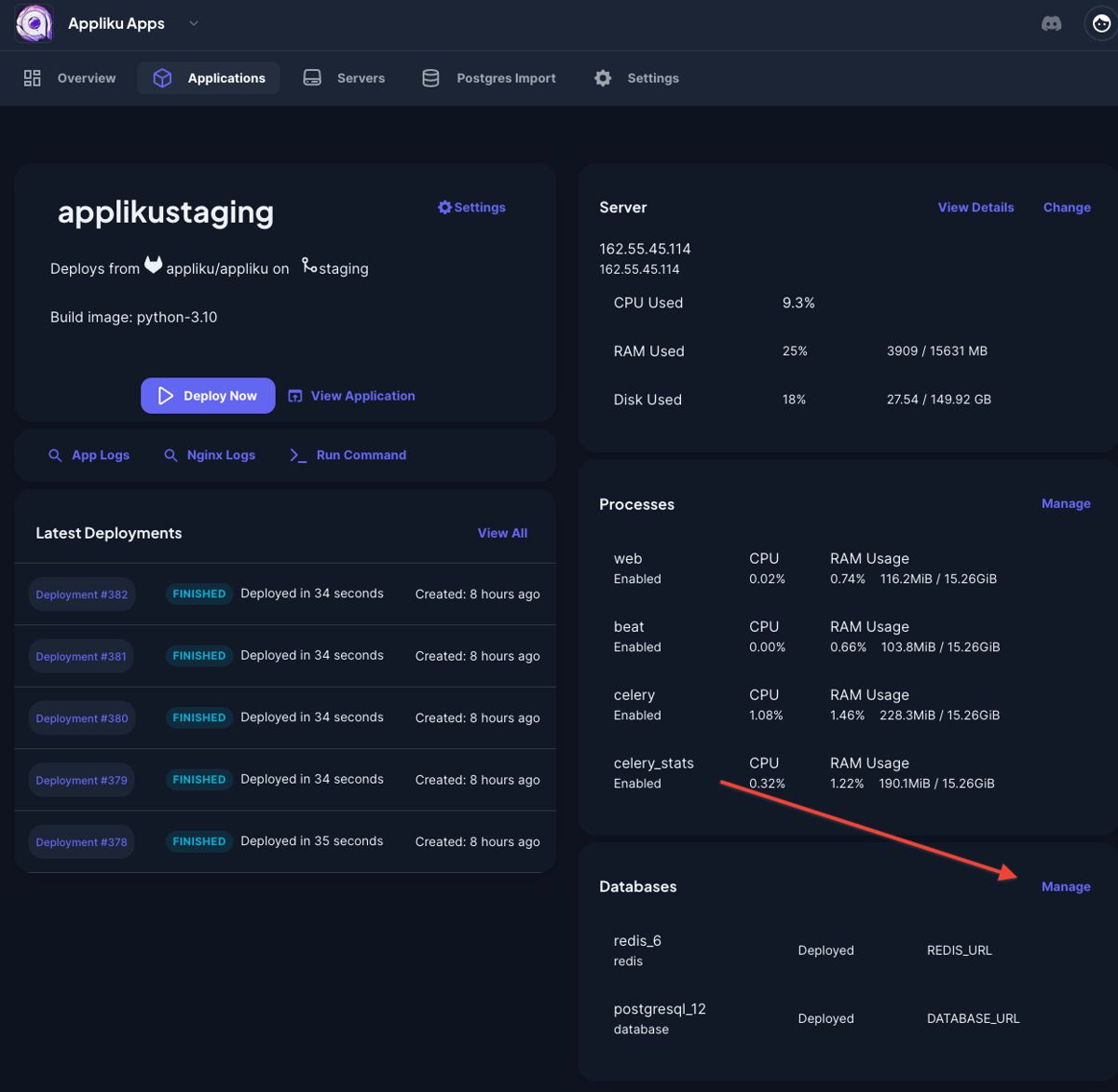
- Click on the "Manage" link in the "Databases" card:
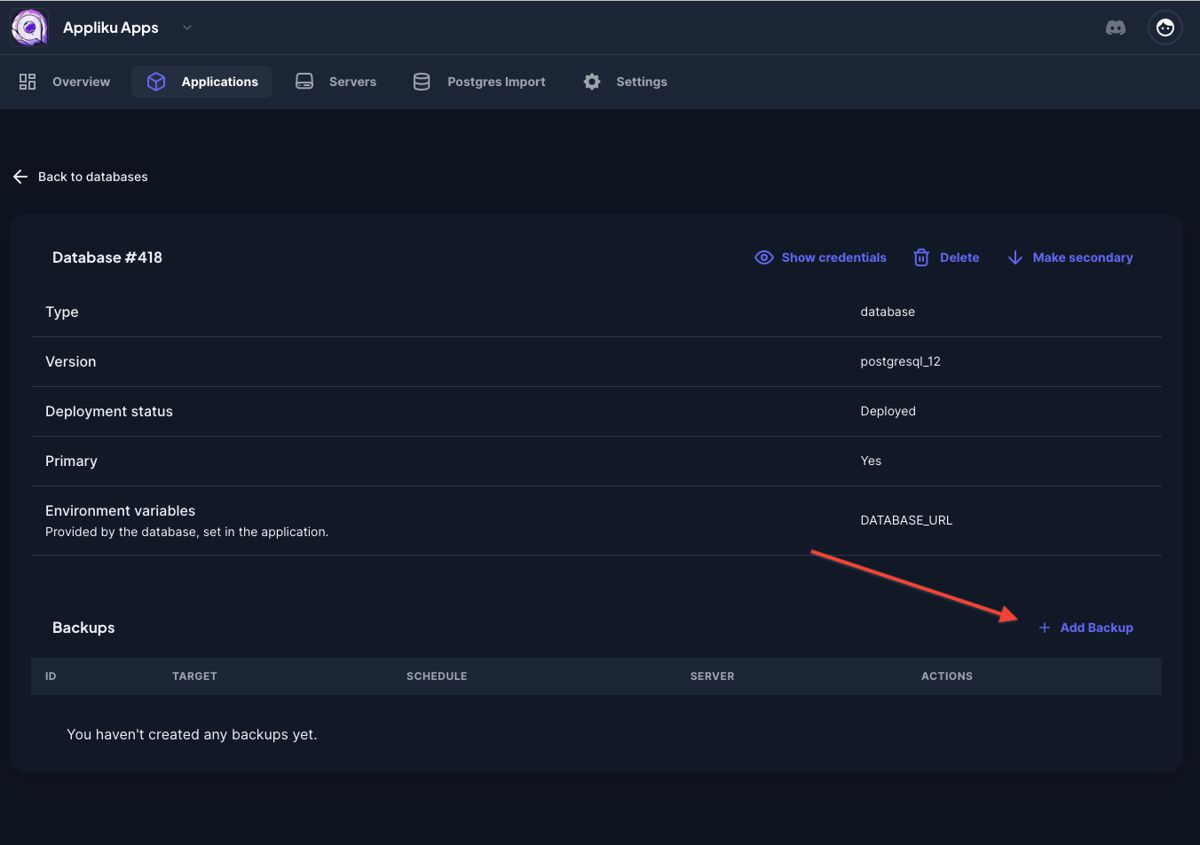
- Pick your database
- Click on the "Add backup" link:
- Specify parameters for the backup:
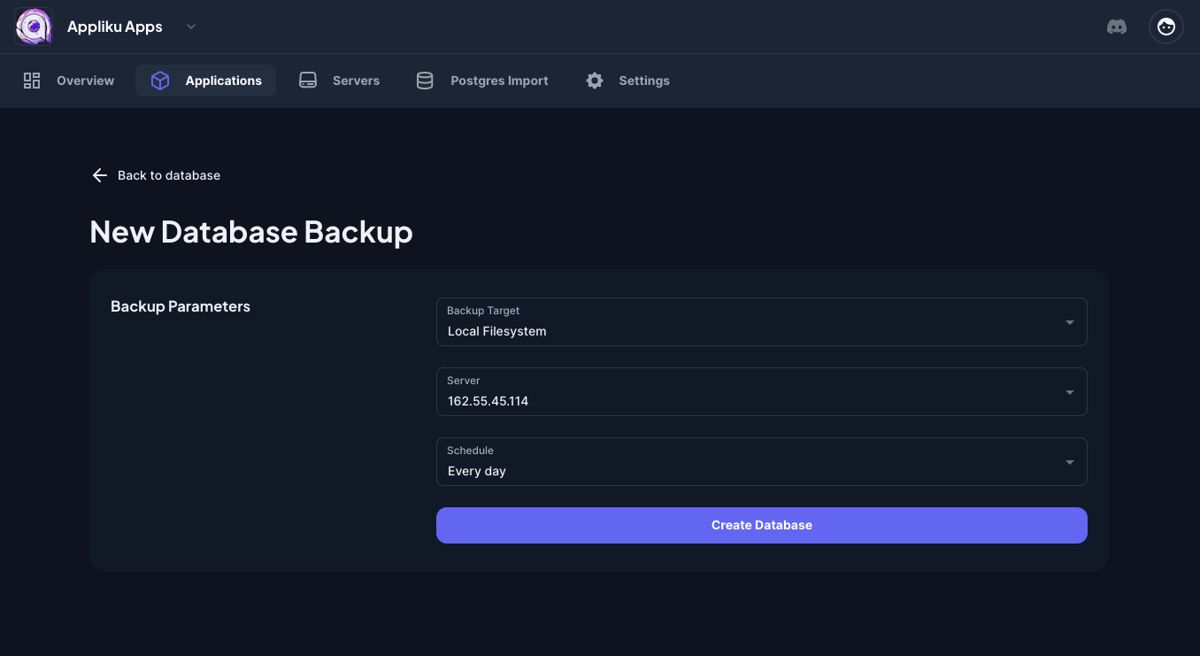
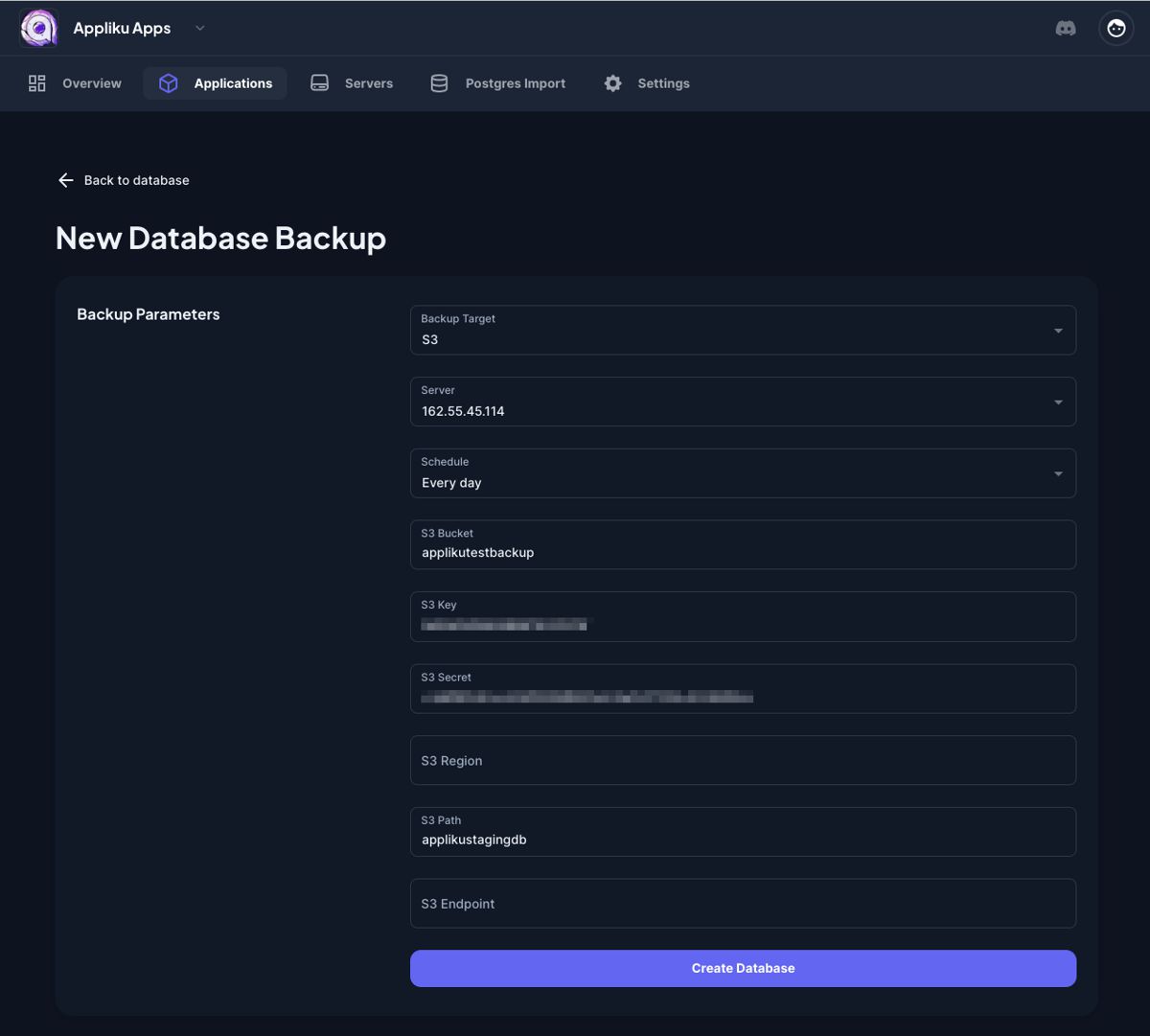
Available schedule intervals range from every 30 minutes to daily. For S3 storage, you'll need to provide your S3 endpoint, bucket name, access key, and secret key.
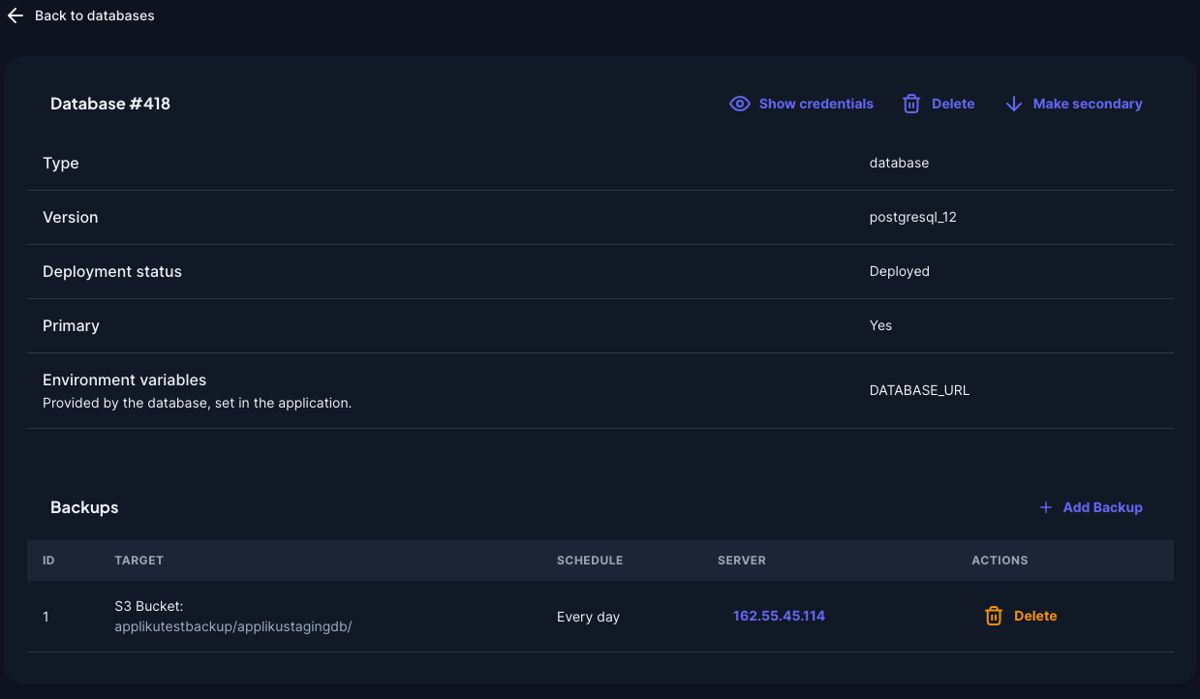
- After submitting the form you will be taken back to the database page with your new backup task:
Backup Command Details
The pg_dump command used to perform backups looks like this:
pg_dump --no-privileges --no-owner --no-acl <postgresql_url>
What these arguments do:
--no-privileges— Excludes permissions/privileges from the dump file--no-owner— Excludes ownership information from the dump file--no-acl— Excludes access control lists from the dump file
Backup to File
To store a PostgreSQL backup into a compressed file:
pg_dump --no-privileges --no-owner --no-acl <postgresql_url> | gzip > filename.tar.gz
Backup from Docker Container
Since PostgreSQL runs in a Docker container, the full command looks like this:
docker run --rm -v /home/app/_backups/{backup_id}:/backup postgres:15 sh -c \
  "pg_dump --no-privileges --no-owner --no-acl <postgres_url> | gzip > /backup/<export_filename>"
What each part does:
docker run --rm— Starts a temporary container that is removed after it exits-v /home/app/_backups/{backup_id}:/backup— Mounts the backup directory from the host into the containerpostgres:15— Uses the official PostgreSQL 15 Docker image- The shell command runs
pg_dump, pipes throughgzip, and saves to the mounted backup directory
Restore from Backup
To restore a PostgreSQL database from a backup file:
- Download the backup file
- Uncompress it:
gunzip 23-database-starttest1-2023-04-18_21-51-01.gz
- Import to the database using
psql:
psql <new_postgresql_url> < 23-database-starttest1-2023-04-18_21-51-01