Using SQLite with Django
If you want to use SQLite as a database for your Django project deployed on Appliku, you need to do three things:
- Create a volume in your application settings
- Ensure your settings file respects
DATABASE_URLfor populating theDATABASESobject - Set the environment variable
DATABASE_URLthat points to a file within the volume
Why a Volume is Needed
Apps in Appliku run in containers with an ephemeral filesystem — data is not persisted between container restarts and deploys.
To prevent data loss going unnoticed, Appliku's built-in Docker images prevent writing to the code folder. A persistent volume solves this by providing a directory that survives deployments.
Create a Volume for the SQLite Database File
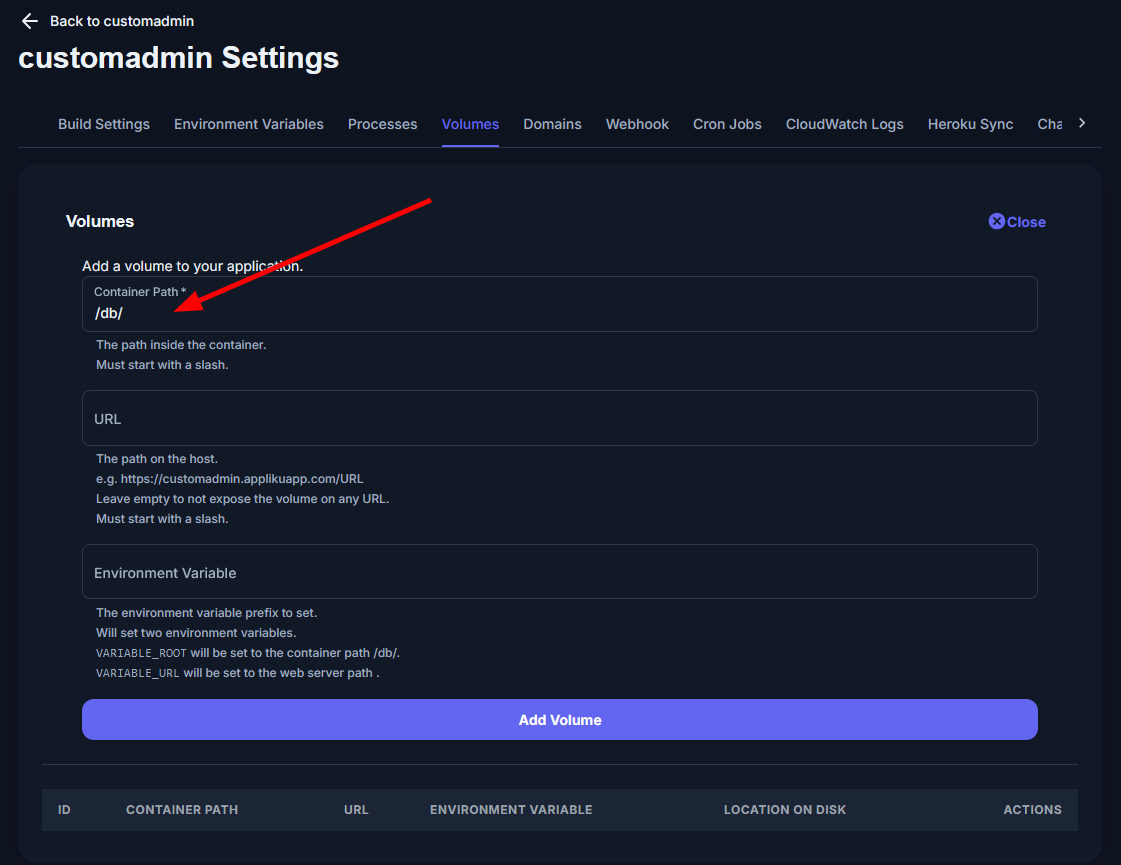
Go to your application settings, switch to the Volumes tab.
Click "+Add" and in the form only specify the "Container path" — set it to /db/.
Set the DATABASE_URL Environment Variable
Go to the "Environment Variables" tab and add a variable DATABASE_URL with the value:
sqlite:////db/db.sqlite3
(Yes, four slashes!)
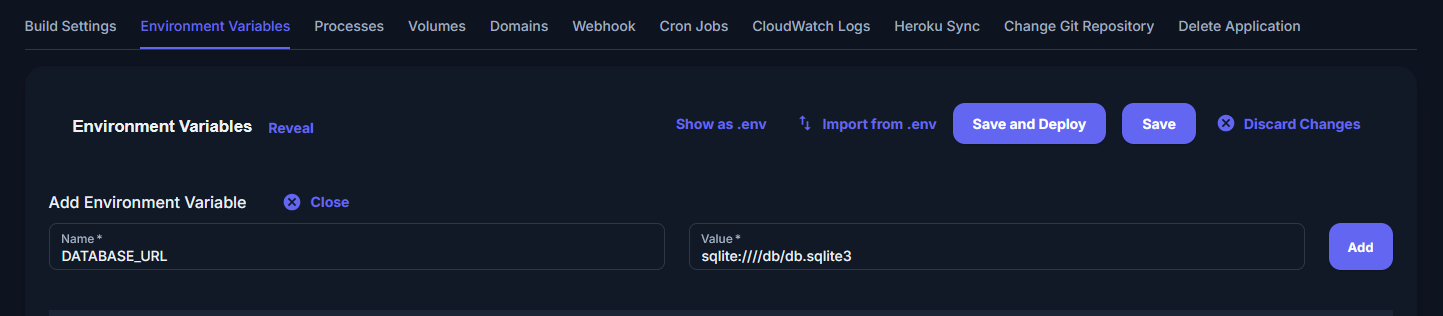
Hit the "Save and deploy" button, wait for your deployment to finish.
Now your project is using SQLite database with persistent storage.