Cron Jobs (Scheduled Tasks)
Cron jobs allow you to schedule tasks to run automatically at specified intervals.
What Are Cron Jobs Used For?
Common use cases include:
- Send recurring emails
- Update data from external sources
- Generate reports
- Run cleanup tasks
- Trigger periodic data processing
How to Add a Cron Job
Go to your application settings and open the "Cron Jobs" tab.
Pick an interval and write a command, then click the "Add" button.
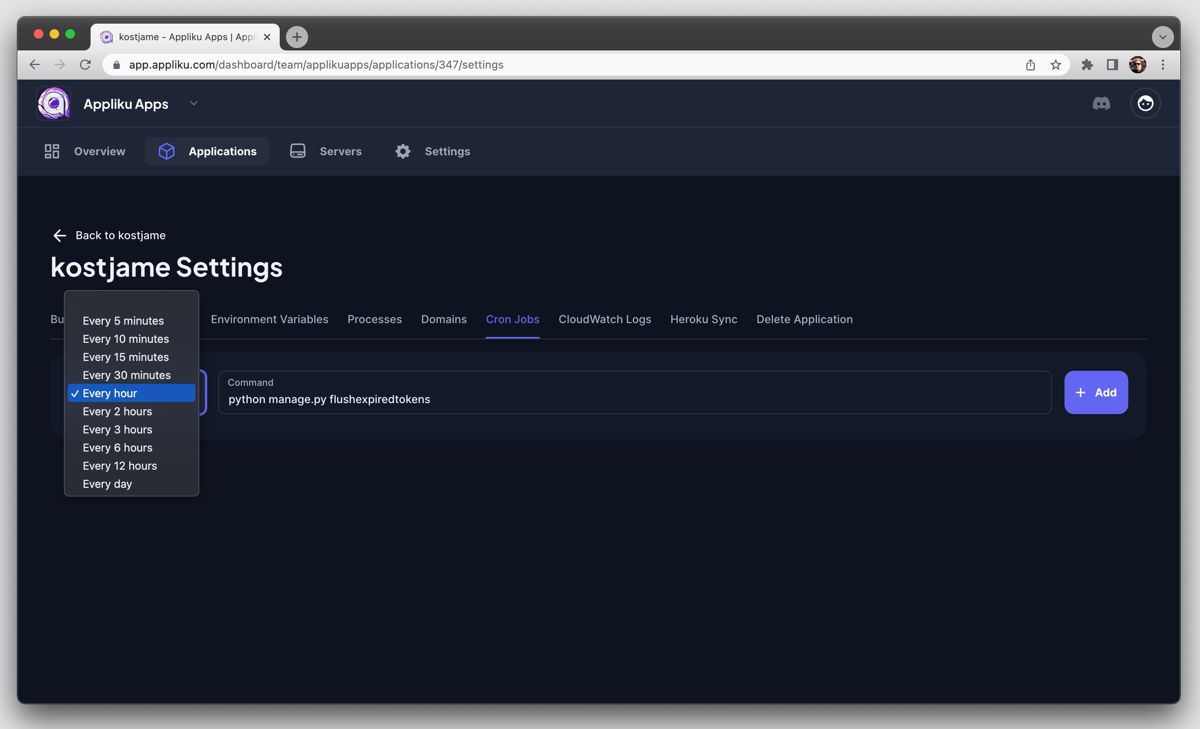
You can add as many jobs as you want.
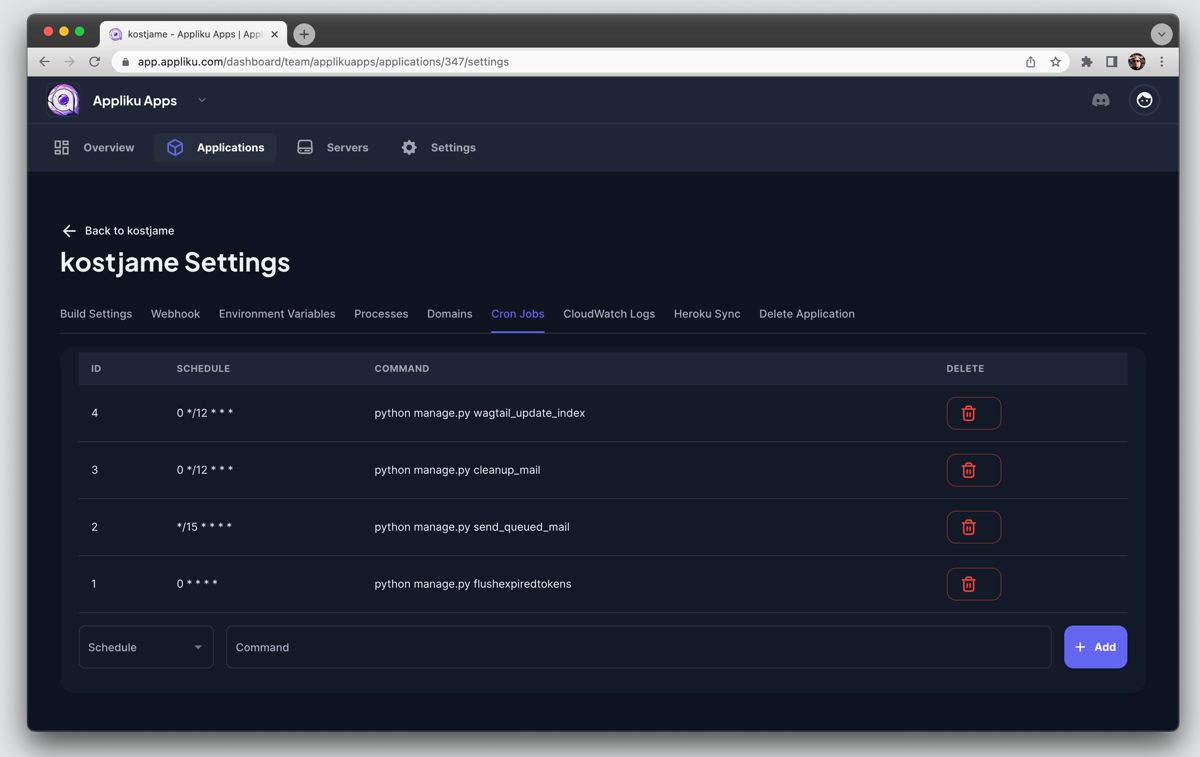
Viewing Cron Job Logs
To view logs from your cron jobs, SSH into the server and navigate to the cron logs directory:
ssh app@<your-server-ip>
cd /home/app/_cron_logs
Logs are organized by job ID. Find the file with your job ID to see the output of that specific cron job.
tip
If you're not sure which job ID corresponds to which cron job, check the job IDs in the Appliku dashboard on the Cron Jobs tab.