Deployment Webhooks
Appliku provides a webhook URL that allows you to trigger deployments from external systems, like CI/CD pipelines or on commit/push from your git repository provider.
Setup
- Go to your Application settings
- On the "Build Settings" tab, disable "Push To Deploy" if it is enabled — otherwise it will run deployments twice: once on git push, and a second time on your webhook call
Push to deploy functionality is disabled for Custom Git Repositories, so the checkbox is not even visible.
- Go to the "Webhook" tab and copy the Webhook URL
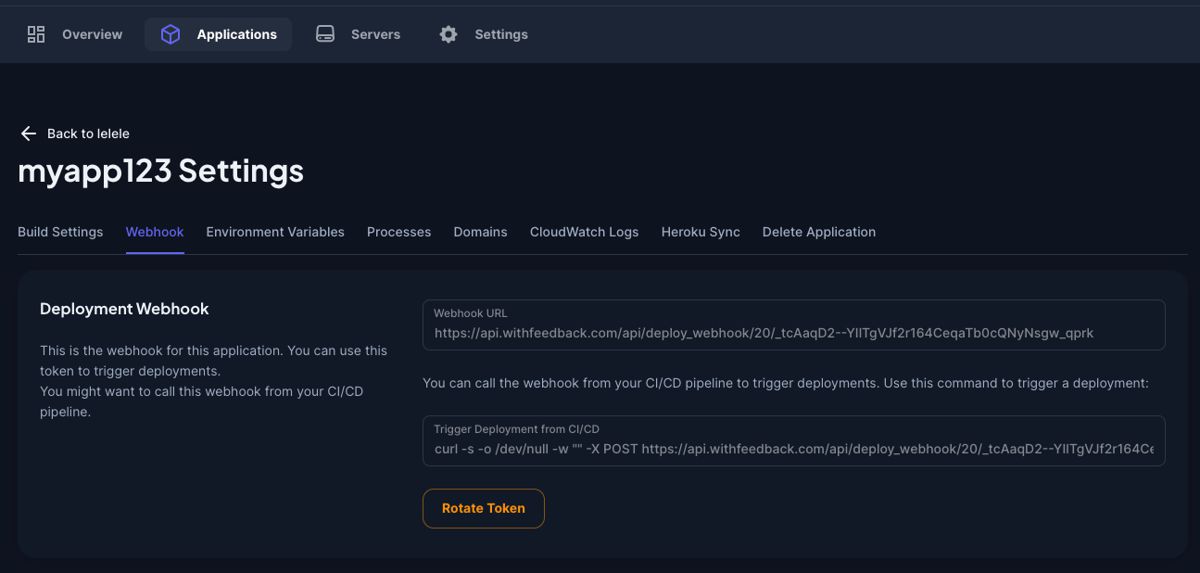
Paste the URL into your system that will trigger deployments. You can also copy the cURL command to use directly in your CI/CD pipeline.
Important Notes
-
Branch, not commit: Appliku relies on the branch, not on a particular commit. It always builds with the latest commit in the branch. If you made multiple commits/pushes and your CI/CD processed the first one and sent the webhook, Appliku will build the latest commit in the branch, not the one your CI/CD was working on. All subsequent pings from your CI/CD from this batch of commits will result in deployments based on the same latest commit.
-
Response code: Appliku always returns
201HTTP status code when calling the webhook.